浏览器在线编辑

Krea2 Edit - AI Image Editor

在浏览器中完成身份保持的 AI 图像编辑——重排场景、替换物体、保留相似度。无需安装 ComfyUI。

krea2edit.app / editor

编辑器忙碌或空白?直接打开 Space: coderlim-krea2-identity-edit.hf.space

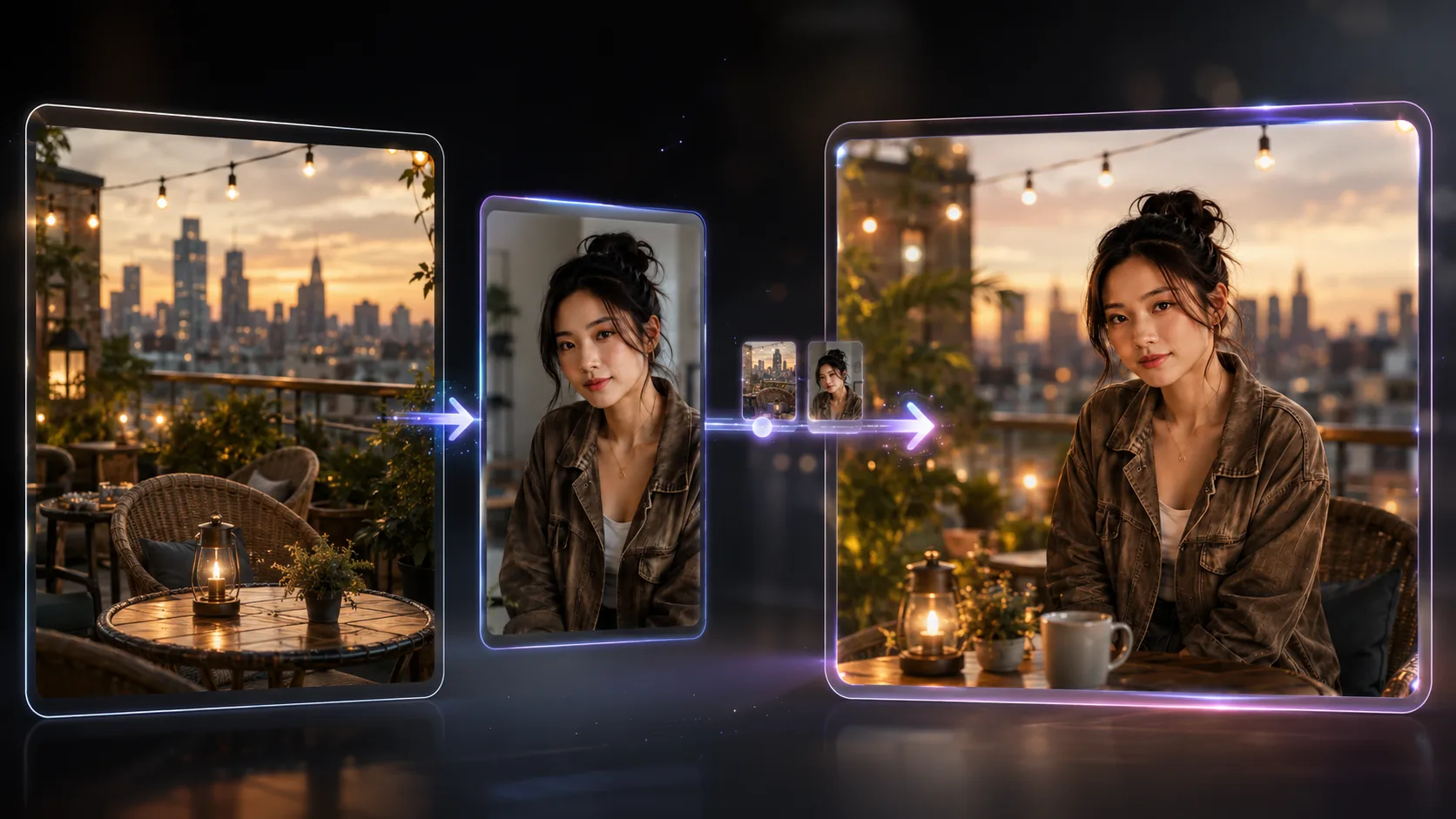
Krea2 Edit is the browser entry point for instruction-based, identity-preserving image edits on the open Krea 2 stack. Upload a source photo, describe the change in plain English, and regenerate only what you asked for — face, outfit cues, and unmentioned regions stay put. The live panel above embeds a Hugging Face Space so you can validate prompts before installing ComfyUI or downloading LoRA weights.

This Krea2 Edit site is a community convenience layer, not an official Krea.ai product. Under the hood it relies on the unofficial LoRA conradlocke/krea2-identity-edit (a fine-tune of Krea 2 Raw) and the matching ComfyUI-Krea2Edit dual-conditioning nodes. Official Krea 2 foundation-model docs live at krea.ai/krea-2.

How to use Krea2 Edit in the browser

Search intent for Krea2 Edit is transactional: people want a working editor, not a history lesson. Follow this loop against the embedded Space (or open it full-screen if the iframe is queued).

  1. 1

    Drop a clear single-subject photo

    Sharp faces and readable outfits transfer better on Krea2 Edit. The published LoRA guidance prefers generating at or under about 2 megapixels; oversized sources tend to bleed or duplicate detail. Avoid heavily compressed social-media crops when likeness matters.

  2. 2

    Write one concrete instruction verb

    Examples that match the training card: “create a photo of this person at a night market,” “recolor the jacket to rust orange,” “replace the coffee cup with a ceramic bowl.” Vague wishes like “make it better” waste a queue slot. Leave everything you want untouched out of the sentence — Krea2 Edit is trained to preserve what you did not name.

  3. 3

    Generate, compare, then dial likeness

    Start with the Turbo-style short run the model card recommends for most jobs (about 8–12 steps, CFG 1.0). If the face drifts, raise reference fidelity carefully (the v1.2 ref_boost dial starts near 4 on published workflows). If a deletion fails, switch to the Raw recipe (~20 steps, CFG 3.0) and expect occasional re-renders instead of clean removals — that limit is documented upstream, not a Space bug.

Edit jobs Krea2 Edit is trained to handle

The Hugging Face card groups skills by outcome. Use this taxonomy when you decide whether hosted Krea2 Edit is enough, or whether you need a local graph with stacked character LoRAs.

Person re-staging with likeness

Keep the same face and outfit cues (down to moles and fabric marks on good references) while changing scene, lighting, pose, or camera. Night-market restages are a reliable smoke test: if identity holds after a full relight, your prompt wording is on track for other Krea2 Edit restyles.

Local object and attribute edits

Recolor, add, remove, or replace a region while the rest of the frame stays near the source — a classic Krea2 Edit local job. The trained “replace” verb helps locality. Still compare against the original — local jobs can occasionally shift grade or touch an unintended edge, especially on busy backgrounds.

Two-reference scene + person composites

Feed a scene as image 1 and a person as image 2 inside Krea2 Edit. That order matches training; swapping them sharply degrades results. For two people, upstream guidance is to chain single-reference inserts rather than force both faces in one pass (faces otherwise drift toward each other).

v1.2 extras: sheets, swaps, inpaint, try-on

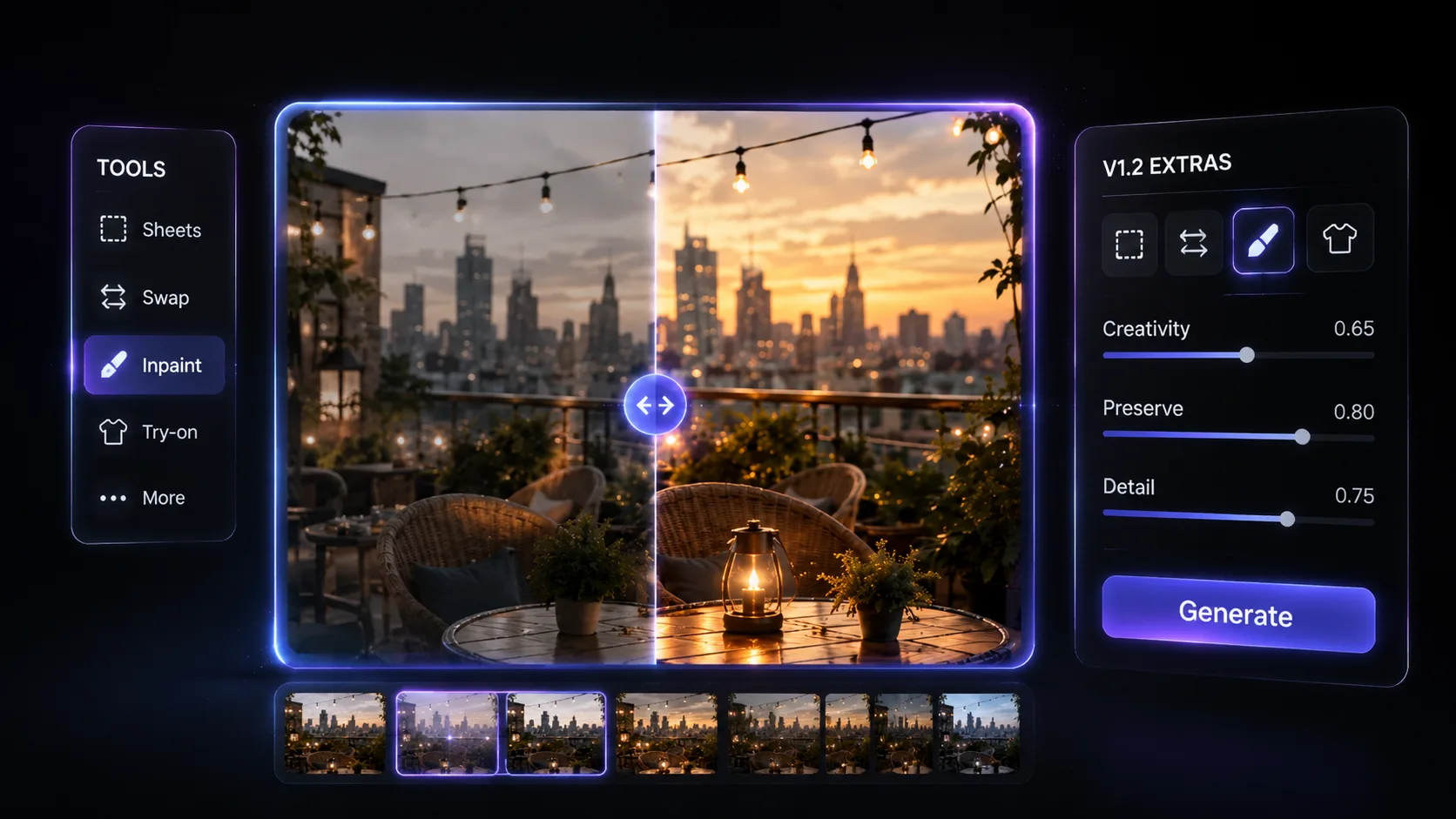
The recommended weight krea2_identity_edit_v1_2.safetensors adds character reference-sheet workflows, head/face/eye/person swap (trained partly on stablellama’s MIT swap dataset), outpainting, inpainting, and virtual try-on, plus FIT geometry so mismatched aspect ratios no longer stretch. Confirm the Space’s pinned version before you compare sessions — hosted demos can lag the latest card.

Settings that change Krea2 Edit results

Numbers below come from the public model card and ComfyUI-Krea2Edit changelog — use them as defaults when Krea2 Edit exposes matching controls, or when you graduate to a local workflow.

Job typeCheckpointStepsCFG
Add / recolor / restyle / re-stageKrea 2 Turbo8–121.0
Removals / large deletionsKrea 2 Raw~203.0
  • ref_boost ≈ 4 — strong likeness starting point on v1.2 nodes; above ~10 starts breaking removals; below 1 loosens creativity.
  • grounding_px — lower follows the edit more uniformly; higher protects identity. Duplicate “split picture” frames usually mean the value is far above the trained range (v1.1 docs cite 384–768 as the comfort band).
  • LoRA strength 1.0 — published default. At CFG above 1, ground the negative with an empty prompt plus the same image.
  • Low-VRAM SVD cuts of v1.2 (r128 ~ 0.91 GB, r64 ~ 0.46 GB) retain >99% of weight energy per the card — useful when you leave browser Krea2 Edit for a laptop GPU.

Browser Krea2 Edit vs local ComfyUI

Pick the path that matches your constraint — queue time and zero install versus pinned weights and LoRA stacking.

Hosted Space (this page)

  • No checkpoint download; try Krea2 Edit in minutes
  • Good for prompt R&D and client demos on Krea2 Edit
  • Depends on Space uptime and shared GPU queues
  • Open full-screen: hf.space

Local ComfyUI-Krea2Edit

A practical workflow many creators use: prototype copy on Krea2 Edit here, log the winning instruction + seed notes, then reproduce locally for batch frames. Closed web editors cannot stack arbitrary community LoRAs the same way — that composability is why open Krea 2 + this LoRA exists.

Limits, license, and responsible use of Krea2 Edit

Likeness on Krea2 Edit is described upstream as texture-faithful and proportion-conservative: skin and lighting often transfer well, while strongly unusual facial geometry may read like a close relative. Outfit swaps are hit-or-miss; removals need the Raw recipe and still fail sometimes. Extreme hair or body types may need a subject LoRA on top.

Weights are a Derivative Model under the Krea 2 Community License. Commercial use is allowed under the published revenue threshold (model-card summary: under $1M/year); above that, contact Krea for enterprise terms. Deployments should moderate content; AI disclosure may apply. The LoRA is SFW-trained — do not create non-consensual or harmful likenesses of real people. Read our Privacy Policy and Terms of Service, or read the deep dive on the Krea2 Edit Model. Email support@krea2edit.app.

FAQ about Krea2 Edit

Is Krea2 Edit an official Krea feature?

No. Official Krea apps ship their own edit surfaces. This Krea2 Edit page wraps a community LoRA and Hugging Face Space. It is not affiliated with or endorsed by Krea.ai, Inc.

Which weight should I assume the Space uses?

Prefer v1.2 when available — it is the recommended build on the model card. Always check the Space README or UI footer for the exact filename before A/B testing Krea2 Edit across days.

Can I run the same stack offline after trying Krea2 Edit?

Yes. Install ComfyUI with native Krea 2 support, add the ComfyUI-Krea2Edit pack, load the LoRA, and open a shipped workflow. That path is the full twin of the online preview.

What should I try first?

One clear subject, a Turbo-length run, and a single restage or recolor instruction — the safest first Krea2 Edit session. Save prompts that work. When you need an account-backed dashboard later, you can create an account — the editor above stays usable without signing in.