
Background replacement
Restage portraits in studios, streets, interiors, or cinematic locations without casting a new subject.
Live identity editing workspace
The live editor runs in an embedded Hugging Face Space. If the shared GPU is busy, open it full-screen. Open the editor full-screen
Before / after
These real edit studies show the intended workflow: compare the source and result, then judge face shape, small details, outfit cues, and scene consistency.
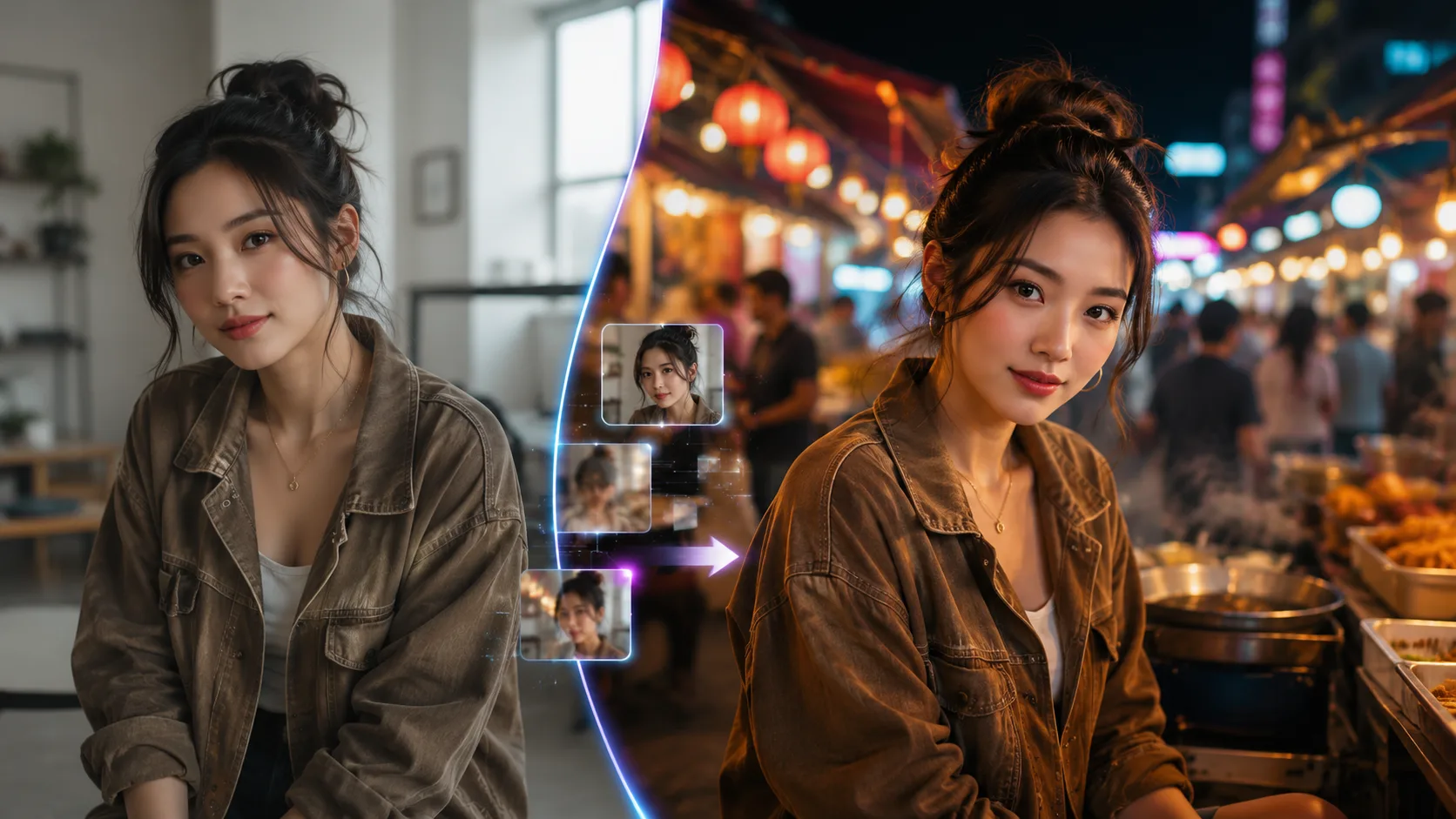 01
01Move the same person from indoor daylight to a night market while retaining recognizable facial detail.
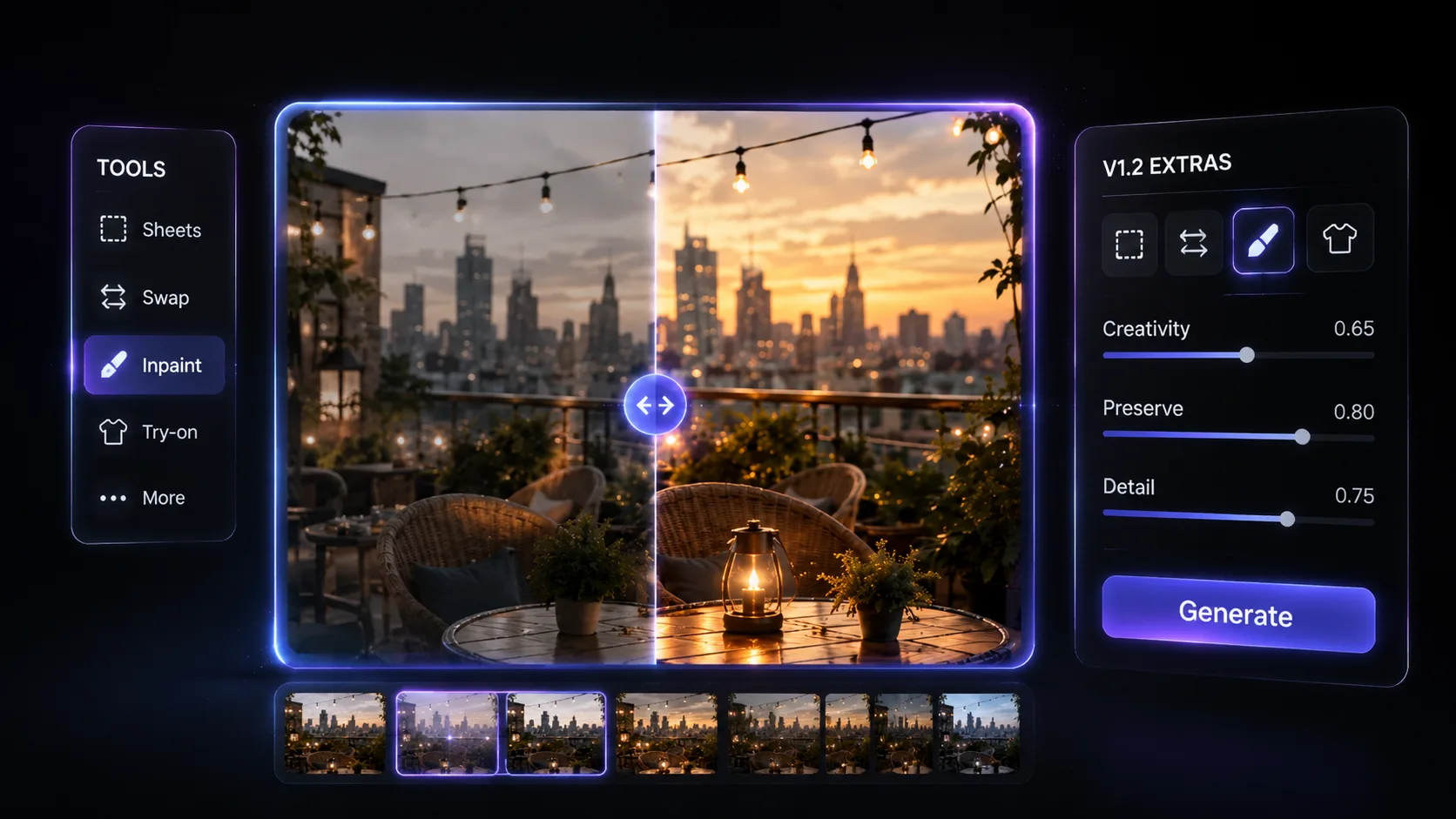 02
02Replace clothing or a selected region without rebuilding the whole portrait.
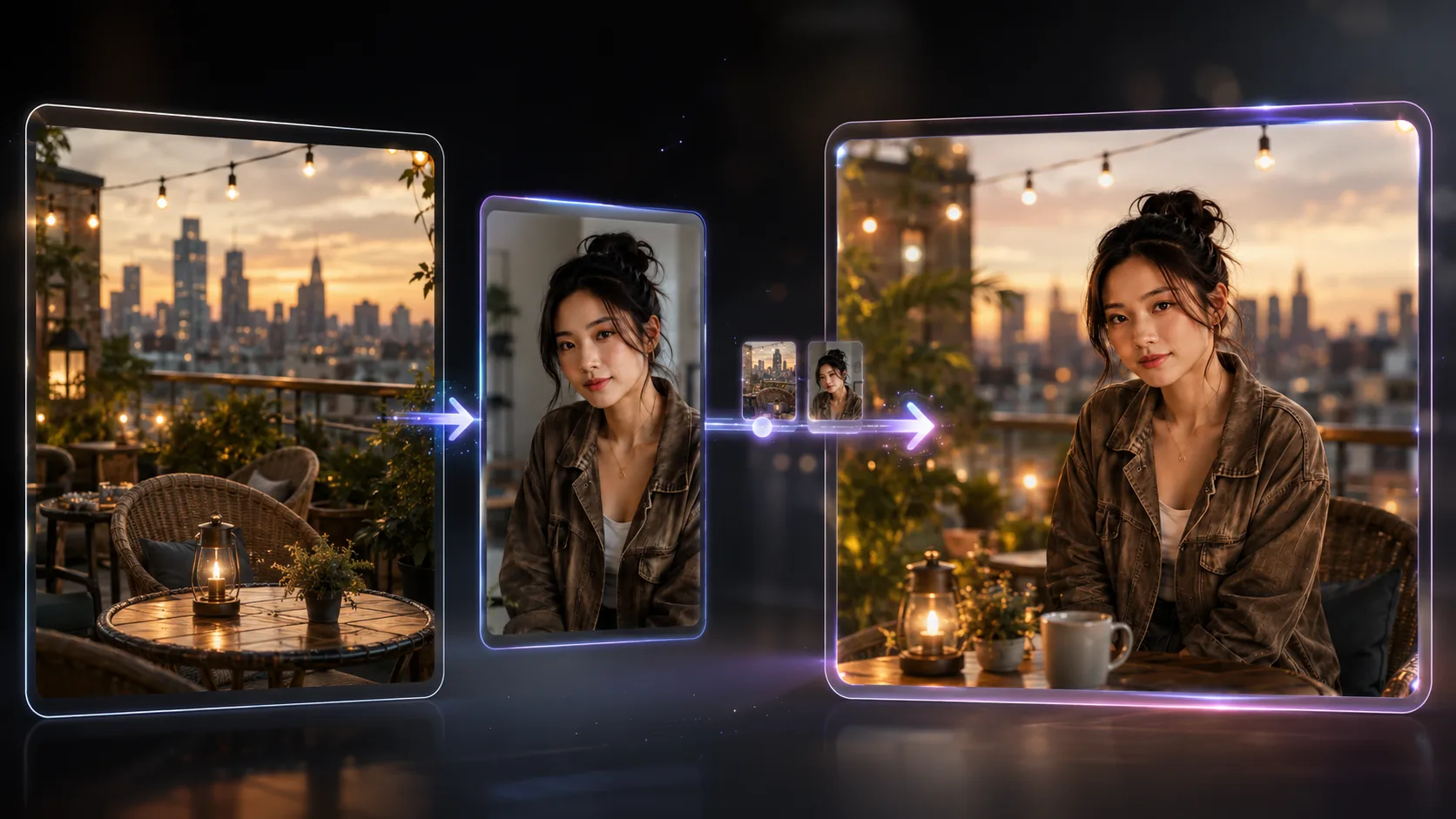 03
03Combine a scene reference and a person reference into one coherent frame.
Workflow
The browser workflow keeps the technical stack out of your way. Start with one clear subject and one concrete change.
Use the editor for focused visual changes where the person should remain recognizable from source to result.
FAQ
Quick answers before your first generation.
Upload one clear photo and make your first identity-preserving edit directly in the browser.